Diagnosing Issues - Scenario #2
Set up Scenario #2
Run the below command in your Cloud9 Terminal.
cd ~/environment/tinyhats/2-lowerCase
for f in *.yaml; do envsubst < $f | kubectl apply -f -; done
And… We have another bug!
We have been getting reports that certain customers are getting 404 errors in our app! Let’s try to figure out what’s going on here.
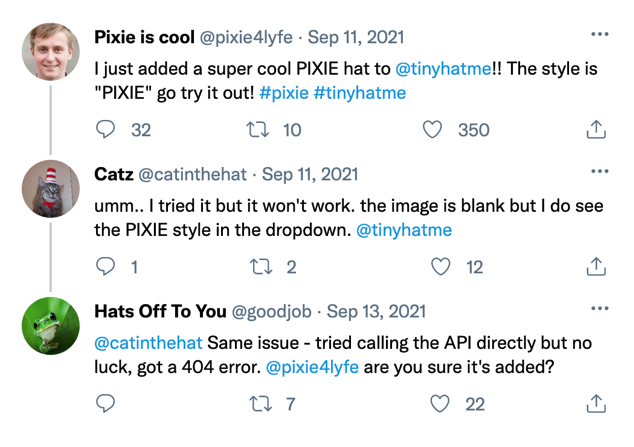
Replicating the Issue
First, try requesting for the PIXIE hat on your frontend by - it shouldn’t work. Remember to use kubectl get services in order to get the URL. Then, try out any other hat; Bob Ross should pop up.
Reload the webpage if the PIXIE hat isn’t showing up in your frontend.
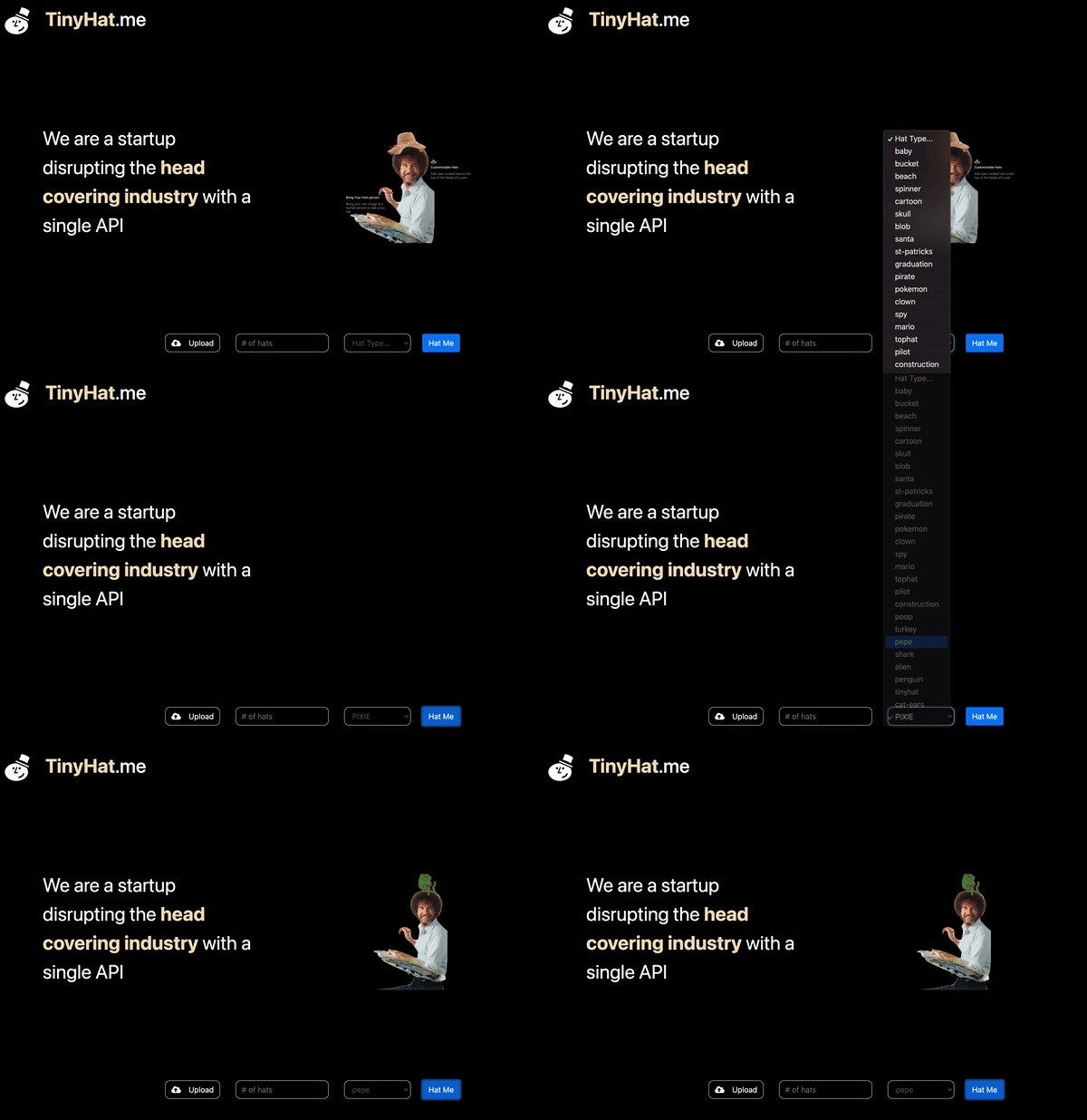
The request doesn’t seem to work for the PIXIE hat but does work for others, like pepe. Let’s dig into this further.
On Google Chrome, if you right click, and click Inspect it opens a console window that logs the HTTP requests being made by the frontend. Make sure you click the Console Tab.
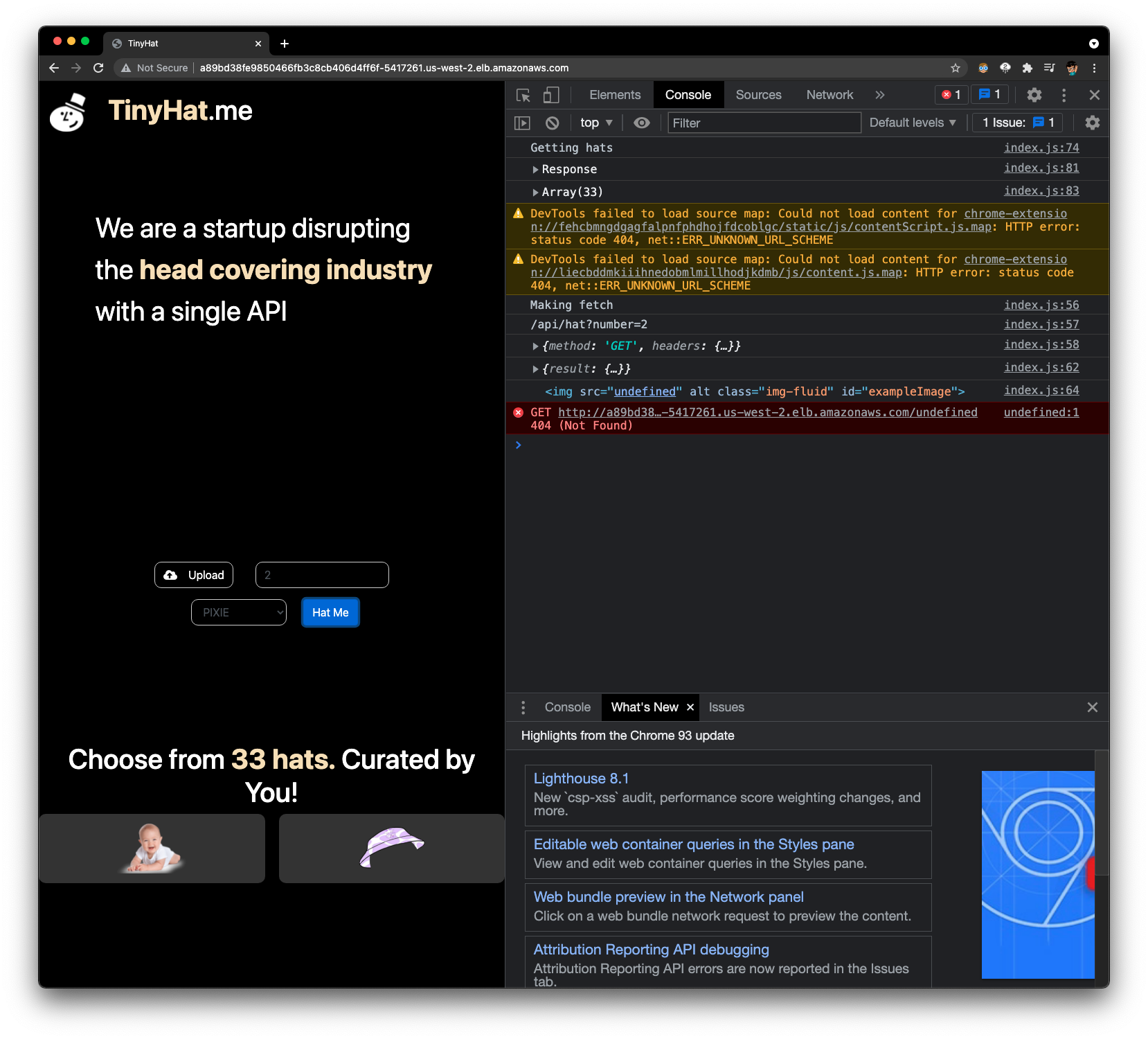
Here we see the console on a web browser, showing that the hat is 404: Could not be found.
Let’s manually test this by making a request for the PIXIE hat.
curl --location --request GET ${GATEWAYSERVICE}/PIXIE
Just like the user in the Tweet said, the GET request for the “PIXIE” hat also returns an error and a message saying that it does not exist. Strange!
The engineering team has identified four possible root causes of this problem:
❓ The frontend-service is not displaying the hat image correctly due to the hat’s special casing.
❓ The gateway-service making an HTTP request for only hats with lowercase styles.
❓ The upload-service corrupted the hat’s data when it was uploaded to the MySQl database and/or the S3 Bucket.
❓ The fetch-service executes unnecessary instructions that results in a case-sensitive situation when retrieving hats from the MySQL database.
Now, it’s your job to identify the culprit using the powers of Pixie.
Using px/cluster to survey the situation
Let’s open Pixie to figure out exactly what’s going on.
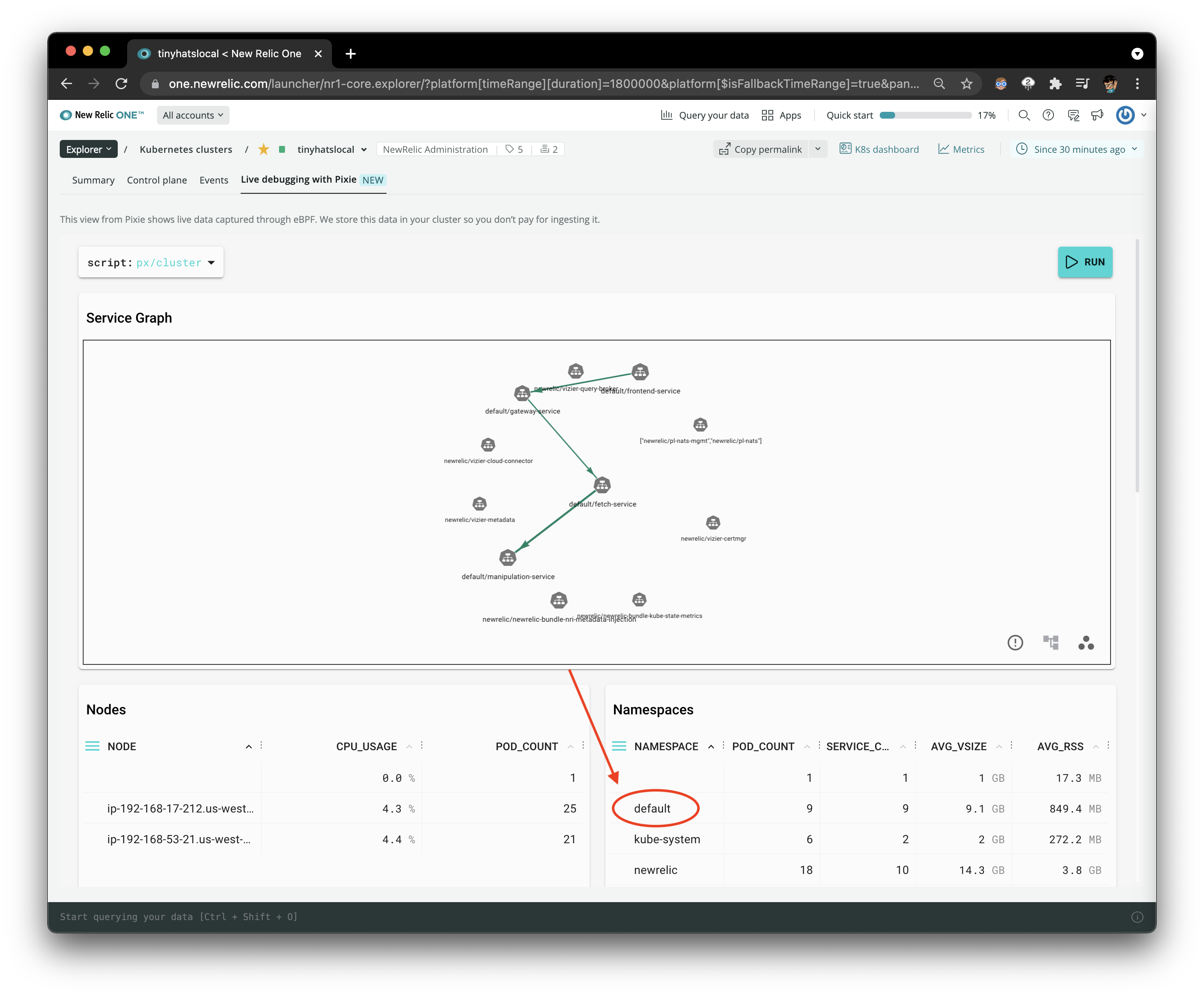
Click into the particular namespace
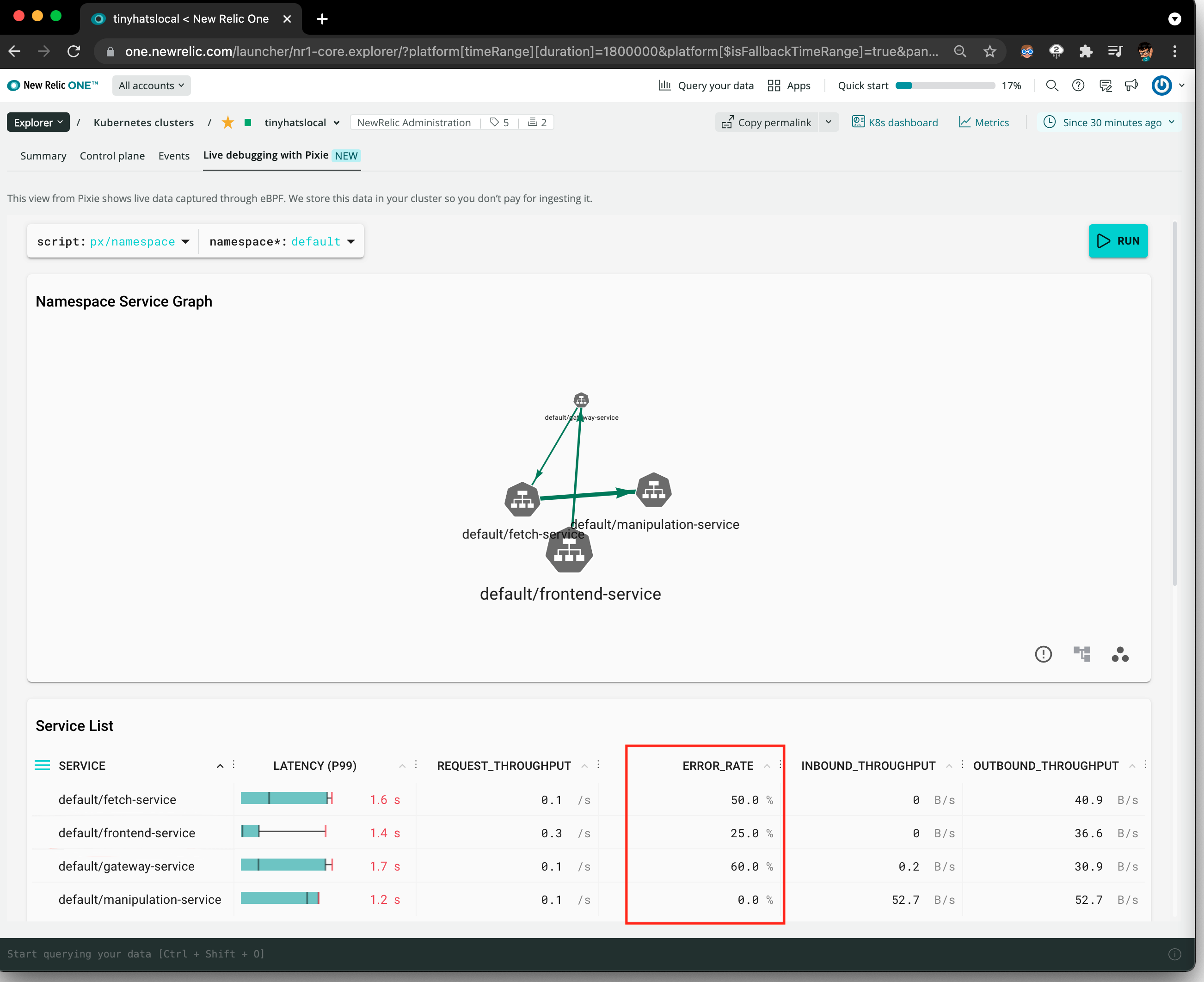
As you can see in the ERROR_RATE column, it looks like the error rates are high for the gateway-service, frontend-service, and fetch-service.
However, this does not provide much detail on what’s actually going on - except for the fact that something’s not working!
1. What’s wrong with the frontend?
Let’s figure out what’s going on each service. Let’s first go to the px/service_stats script and select the frontend-service:
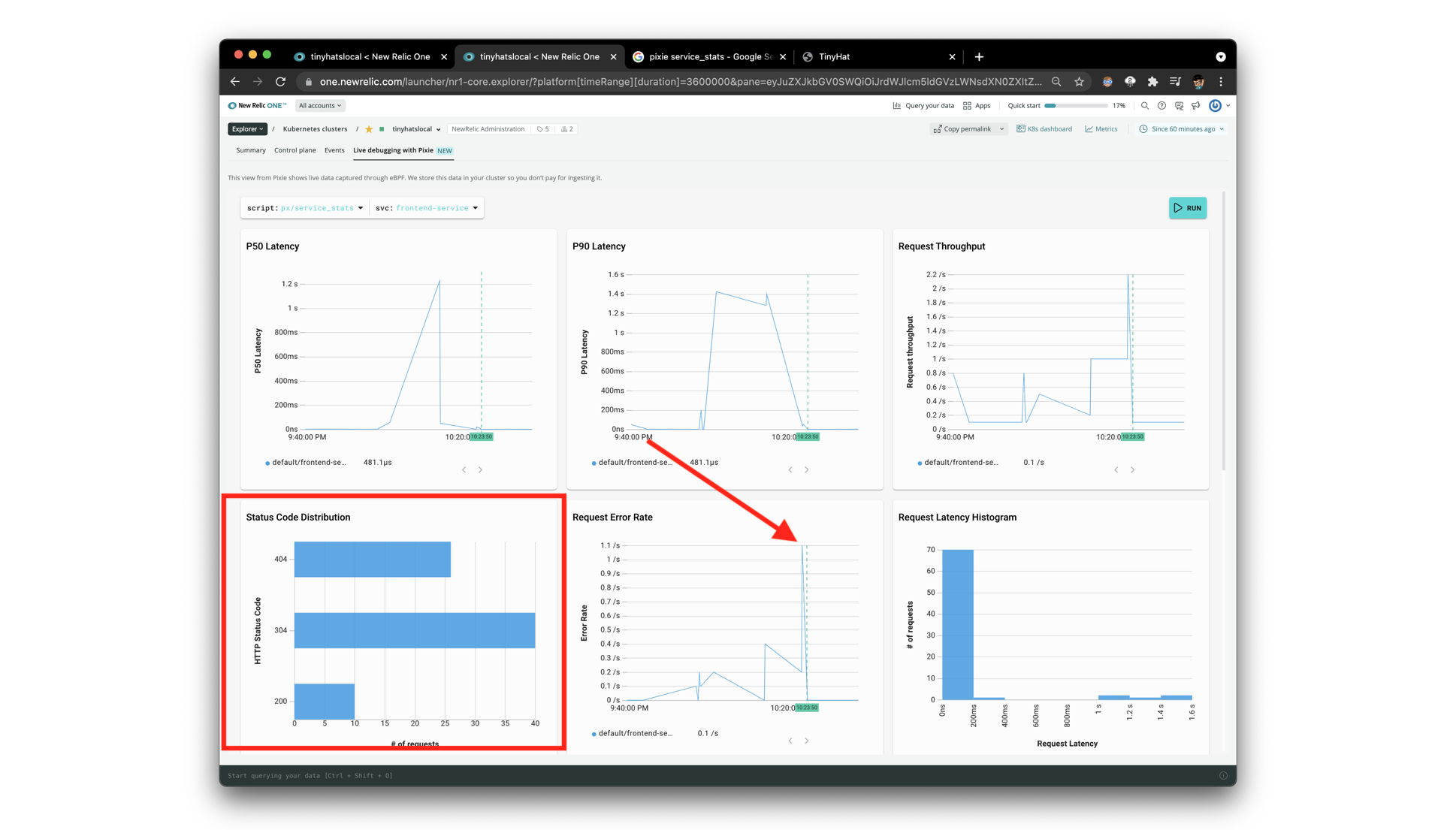
Wow! Look at that spike in the request error rate. We can see here the the three status codes that are being returned are 404, 304, and 200.
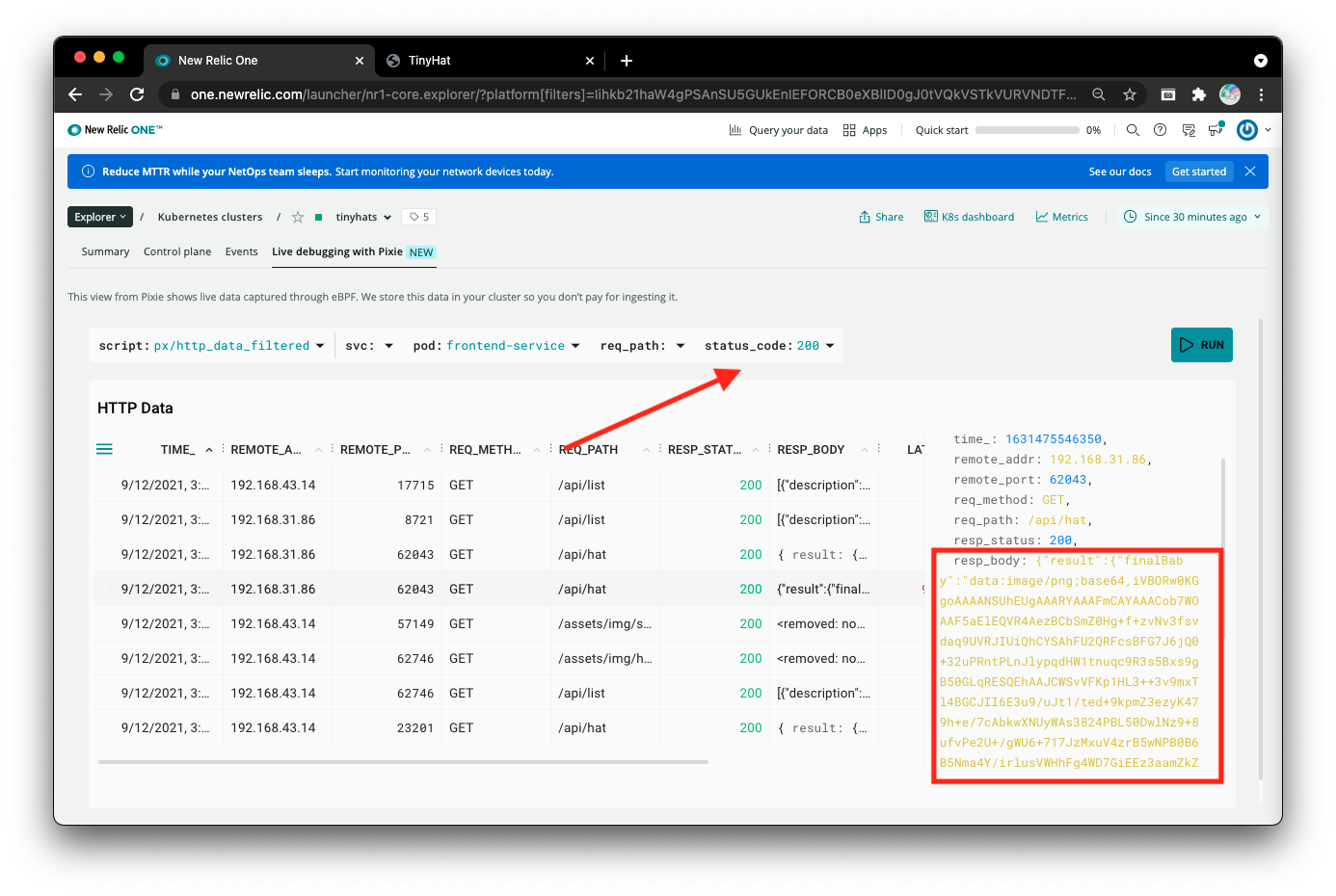
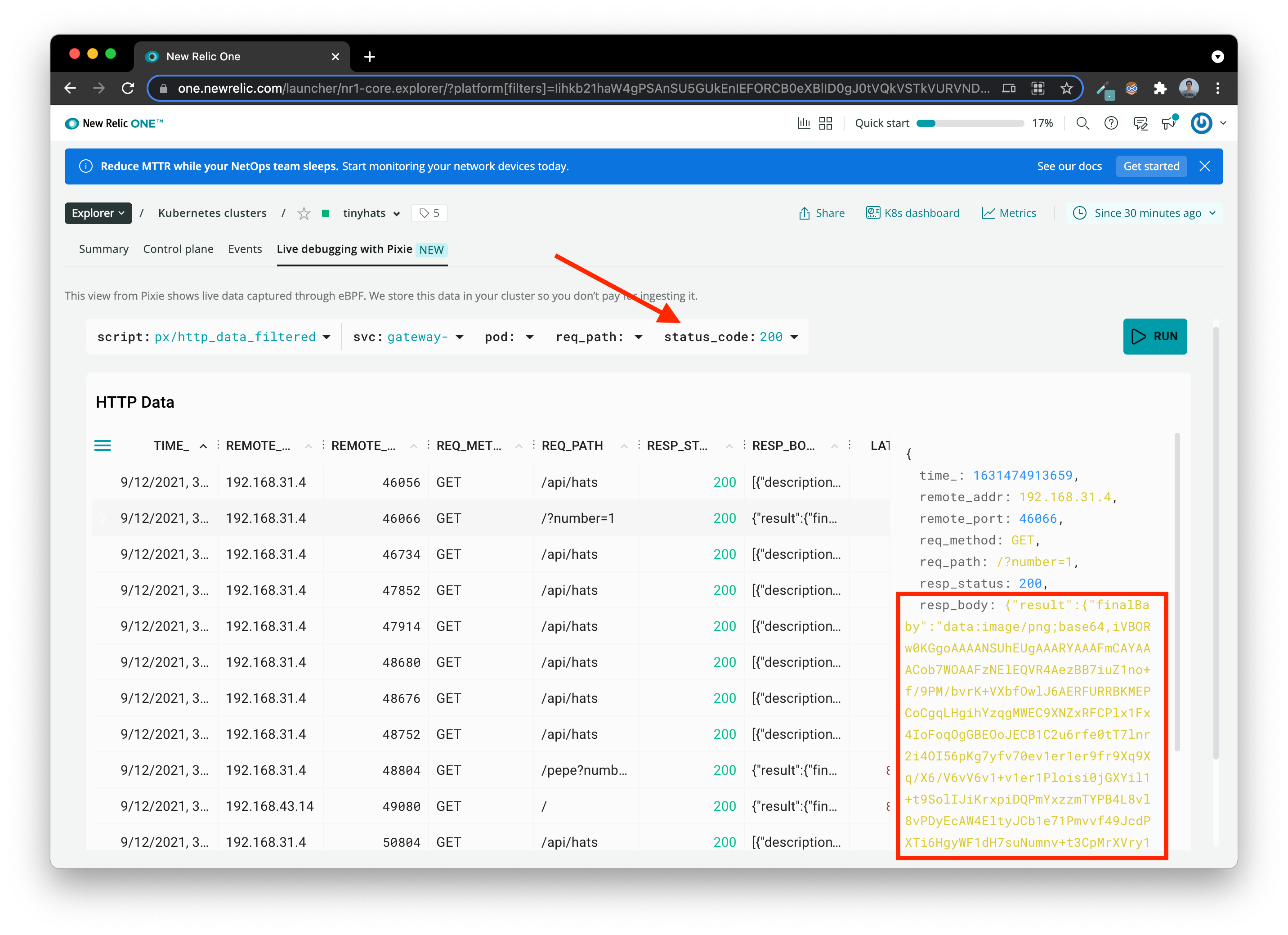
Let’s head to px/http_data_filtered to figure out the errors that are returning for frontend. Try editing the status_code filter to view the requests for different codes. Below, we have a collection of the status 200 codes, which are the requests that were successful.
The frontend seems to be functioning properly for other images. The correct response body should be an image in base64.
If you filter for the status 404 codes, the requests that error out, you can see all the failed requests for the “PIXIE” hat the users wanted to try out. Click into one of the requests with a REQ_PATH of /undefined`. As shown by the response body, the frontend is trying to request for an “undefined” hat: this means that it’s likely not the frontend’s fault.
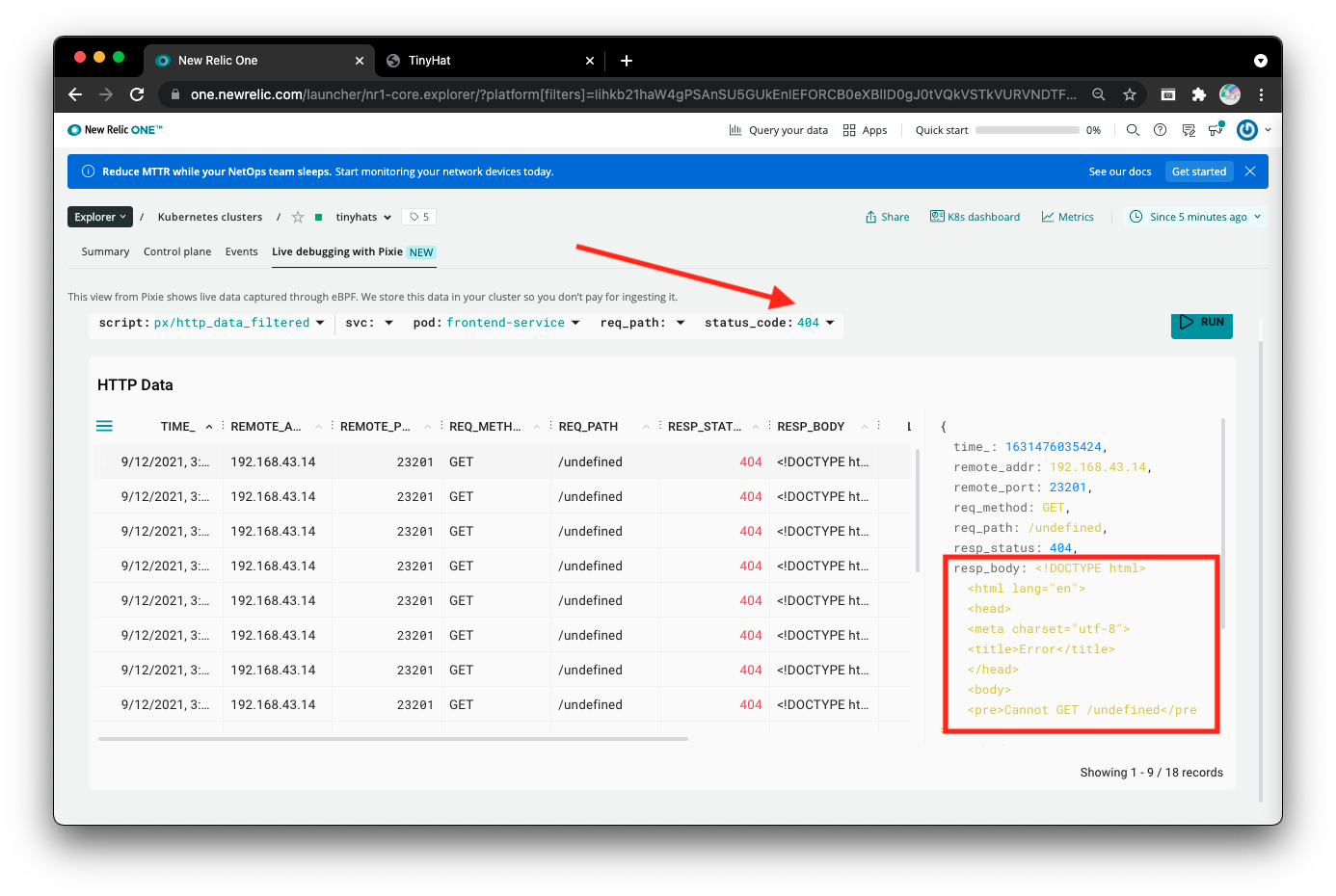
We don’t get much information other than the fact that the PIXIE hat appears as undefined, but can return other hats. Let’s see what the gateway service is getting.
2. Is it gateway-service's issue?
Looking at the px/service_stats script filtered to the gateway-service, we can also see a similar trend, but with the addition of 400 status codes. Also, notice another high spike in error rate.
Why is that? 400 codes mean that there is an error. 404 codes mean that something could not be found. For
frontend-service, it received 404 codes because it could not find an “undefined” hat. In this case, it seems like something actually went wrong and had an error!
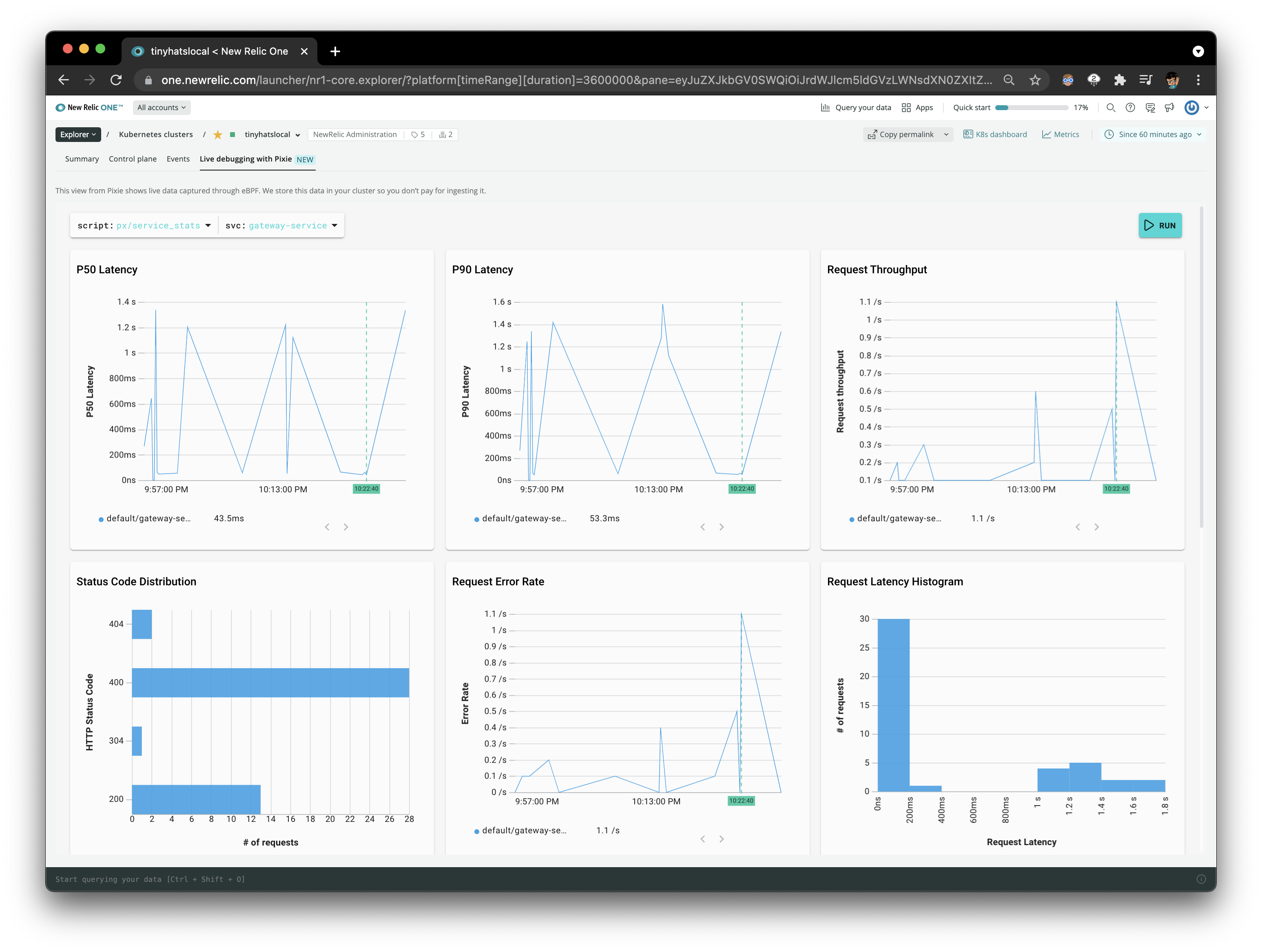
Using px/http_data_filtered again, let’s see what a successful request should look like. Filter for status_code 200 and click on any result including a REQ_PATH of /<HATNAME> to see that gateway-service returns a base64 string for the frontend-service to display to users.
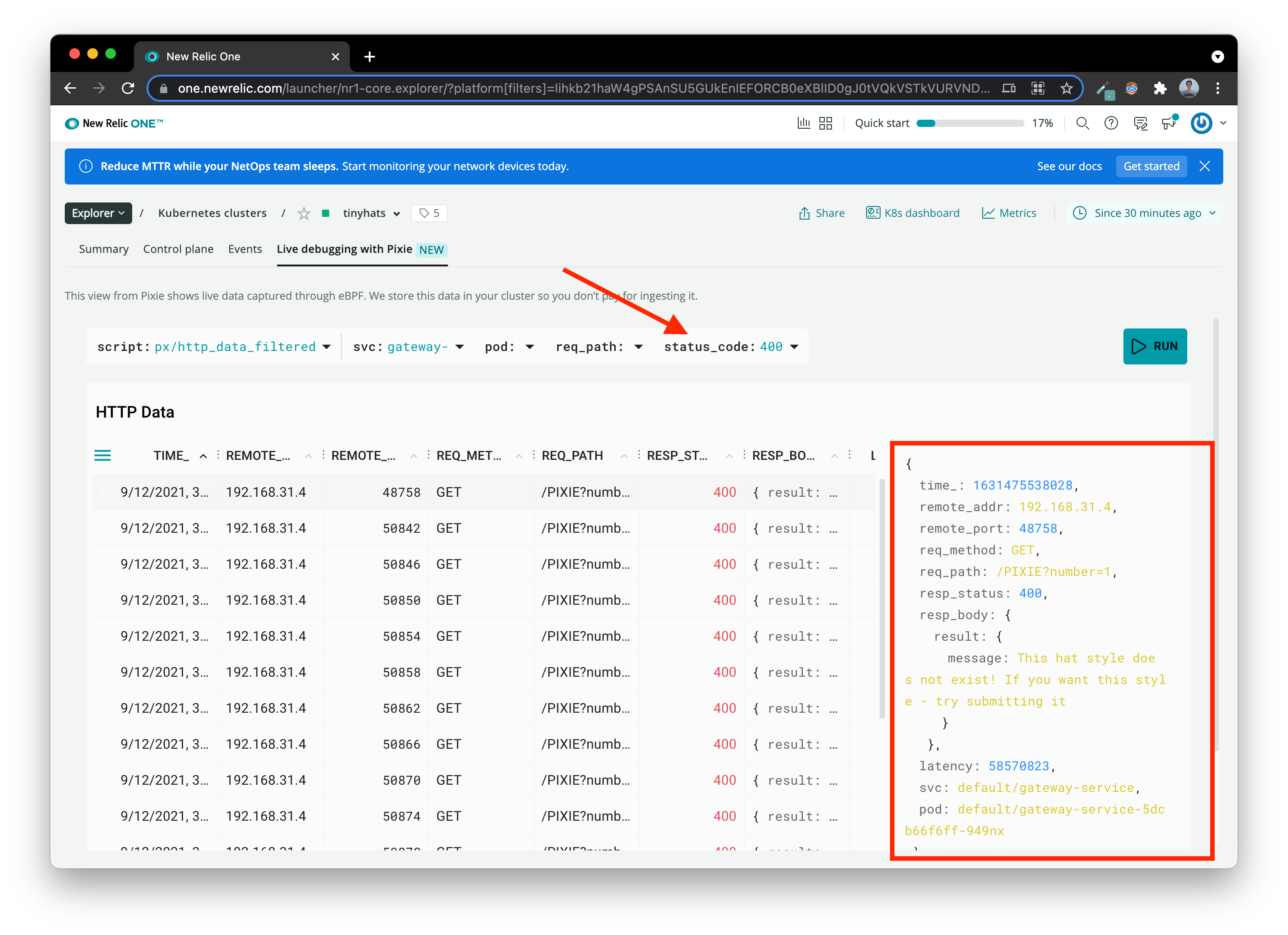
Filtering for status_code 400 gives us a very different scenario. We see that REQ_PATH is full of /PIXIE calls, as the user is repeatedly trying to access the PIXIE hat. Let’s click into one of the requests with the REQ_PATH of /PIXIE. In the body of the response, we can see that gateway-service responds with a message stating that the “hat style does not exist” with an error code of 400. However, that’s not particularly helpful either, since we already know that the PIXIE hat appears to be missing even though it is, in fact, in the MySQL Database because we are able to select it on the frontend.
 Two services down, and two more to go!
3. Is it an issue with data storage?
The other potential source of error could be coming from the upload-service, which is in charge of uploading the image.
Run the below command in you Cloud9 terminal. We used the name wHy tHiS haT because it has strange capitalization.
curl --location --request POST ${GATEWAYSERVICE}/add --form 'name="wHy tHiS haT"' --form 'image=@"/home/ec2-user/environment/tinyhats/badhat.png"'
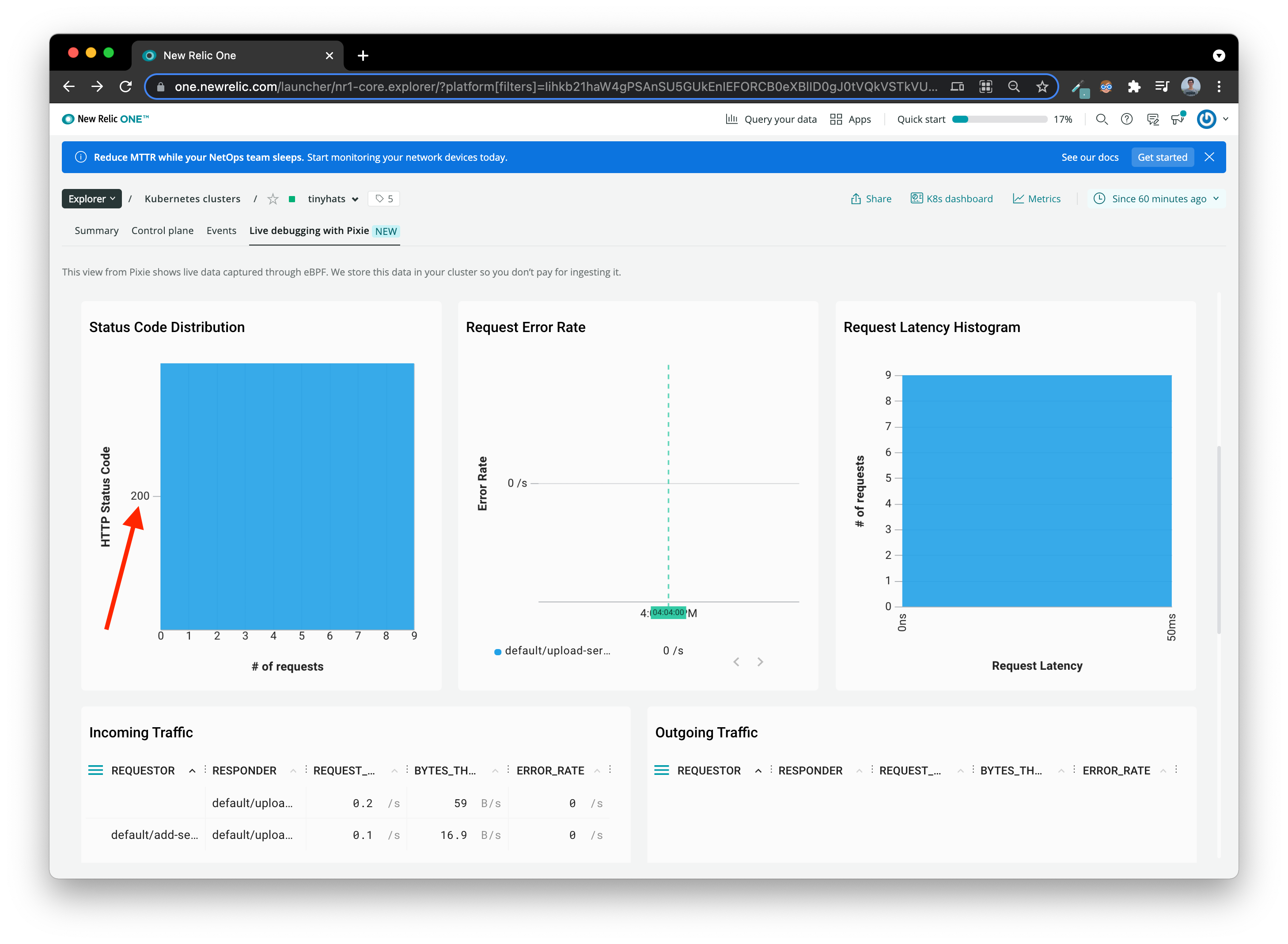
Now, switch back to your New Relic One Pixie dashboard and take a look at upload-service using px/service_stats.
Optional: Try filtering for the REQ_PATH of
/uploadto receive less results!
There is one clear difference between upload-service and the other two - all the codes are 200! This service is happy and healthy and is not erroring out. But, we still need to collect some evidence to be sure that it is not storing the hat style incorrectly.
Let’s switch back to the px/http_data_filtered script and filter by upload-service
Find the request that has a body that has the description of the hat we just sent, “wHy tHiS haT”, and click on it. You should notice that the description field is correct with accurate capilization.
One thing you might have noticed is that the PIXIE hat style is all caps while the other working ones are lowercase. Let’s prove that the
upload-serviceis not causing this discrepancy.
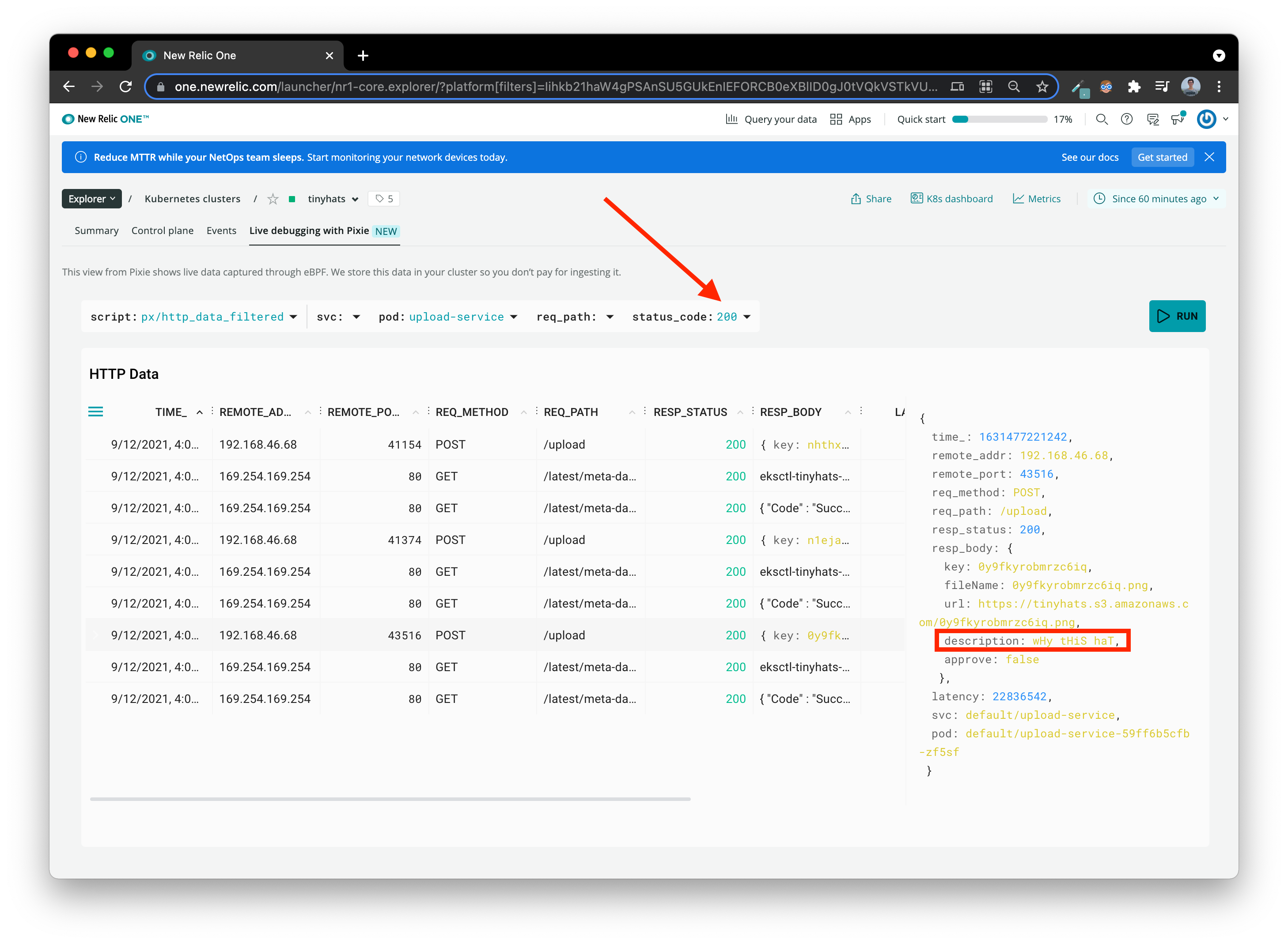
Once again by process of elimination, we are down to the main suspect: fetch-service. upload-service has been proved innocent!
4. fetch-service… Again?
It looks like we’ve looped right back to the old culprit, fetch-service. Just like you’ve done with the previous services, take a broad look at fetch-service through px/service_stats.
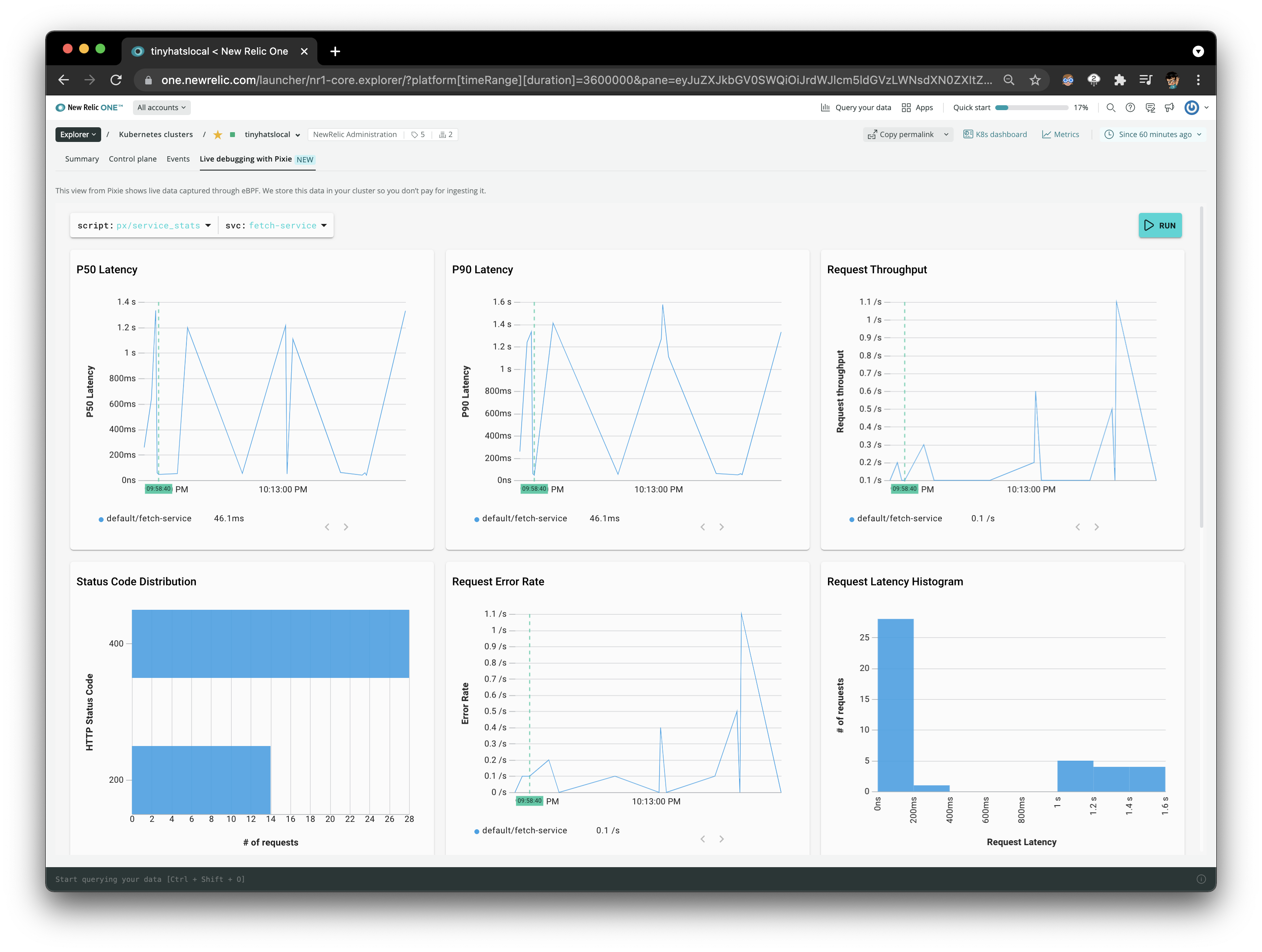
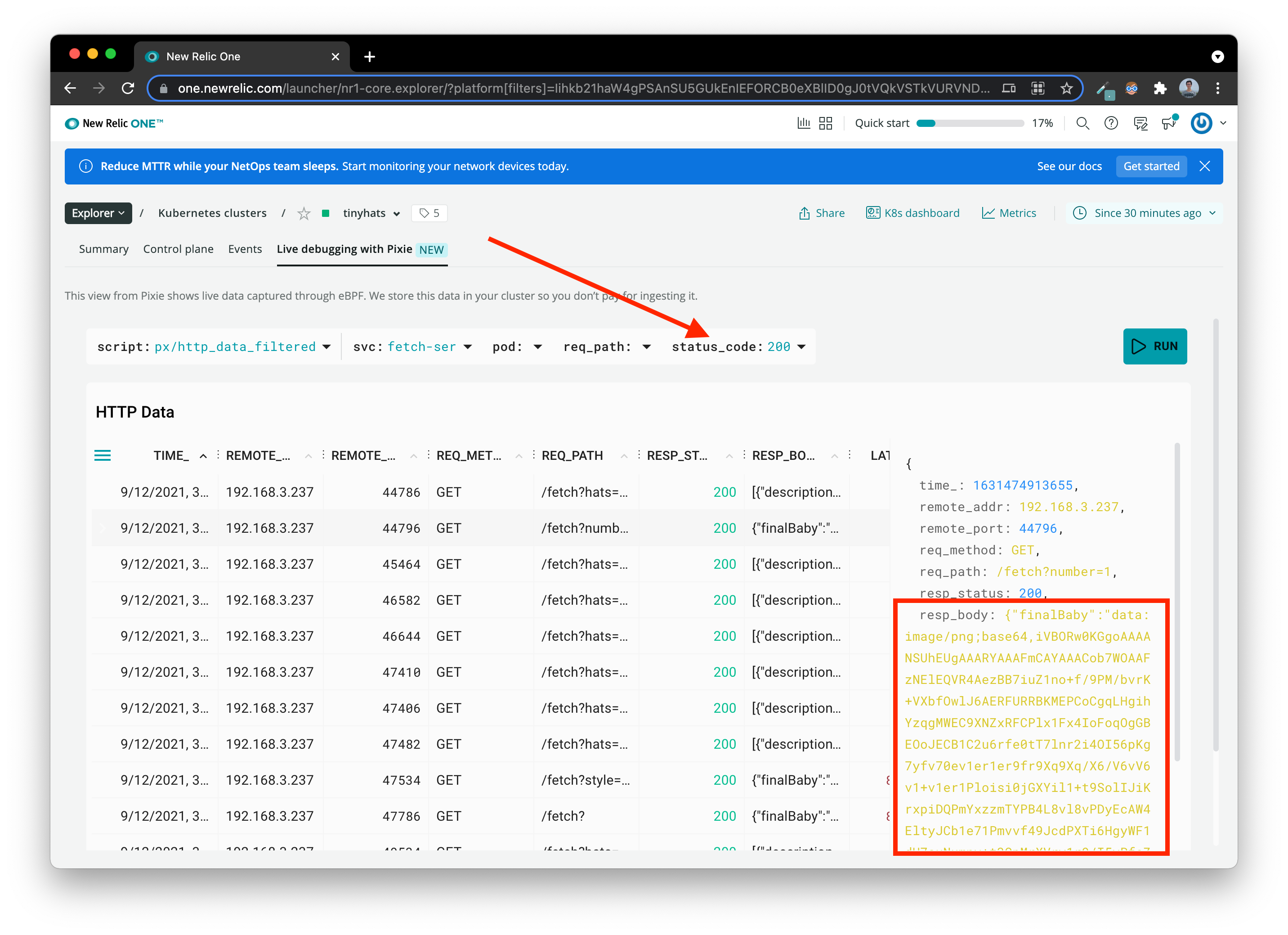
Let’s confirm what fetch-service should be returning by filtering for code 200 in the px/http_data_filtered script. Click on one of the requests with a REQ_PATH that includes a style attribute. We can see fetch-service returns a response body filled with a base64 image.
Why does this make sense?
fetch-serviceis another layer deeper into the microservices.gateway-serviceis what is exposed to the public, and it forwards information from internal services likefetch-service!
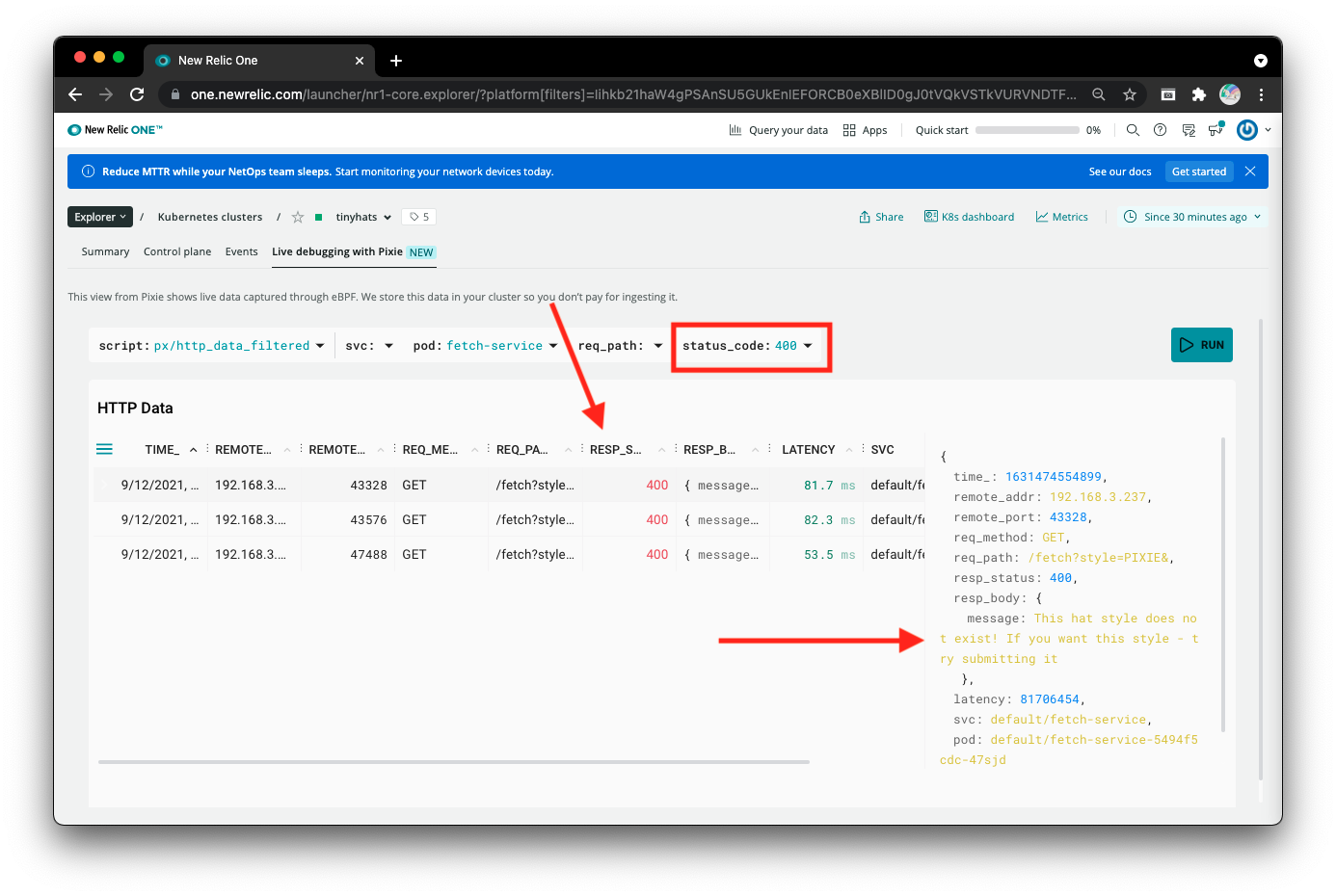
Filter again for the status 400 codes. After clicking on any of the rows, you can see that in the response body of the request, fetch-service returns that the “hat style does not exist”. Because we also saw this message from gateway-service, we can now confirm that the bug is hidden somewhere in fetch-service since it is in the last layer that deals with retrieving images.
The final question is: How and why is fetch-service not able to retrieve the style of PIXIE
Well, we know that fetch-service uses SQL queries to retrieve data, so there might be an issue with that.
The Final Stretch
Navigate to px/mysql_data and select the SQL query that queries for a specific type of hat. In this case, we are specifically looking for one that specifies the description field in the req_body as “pixie” or “PIXIE”.
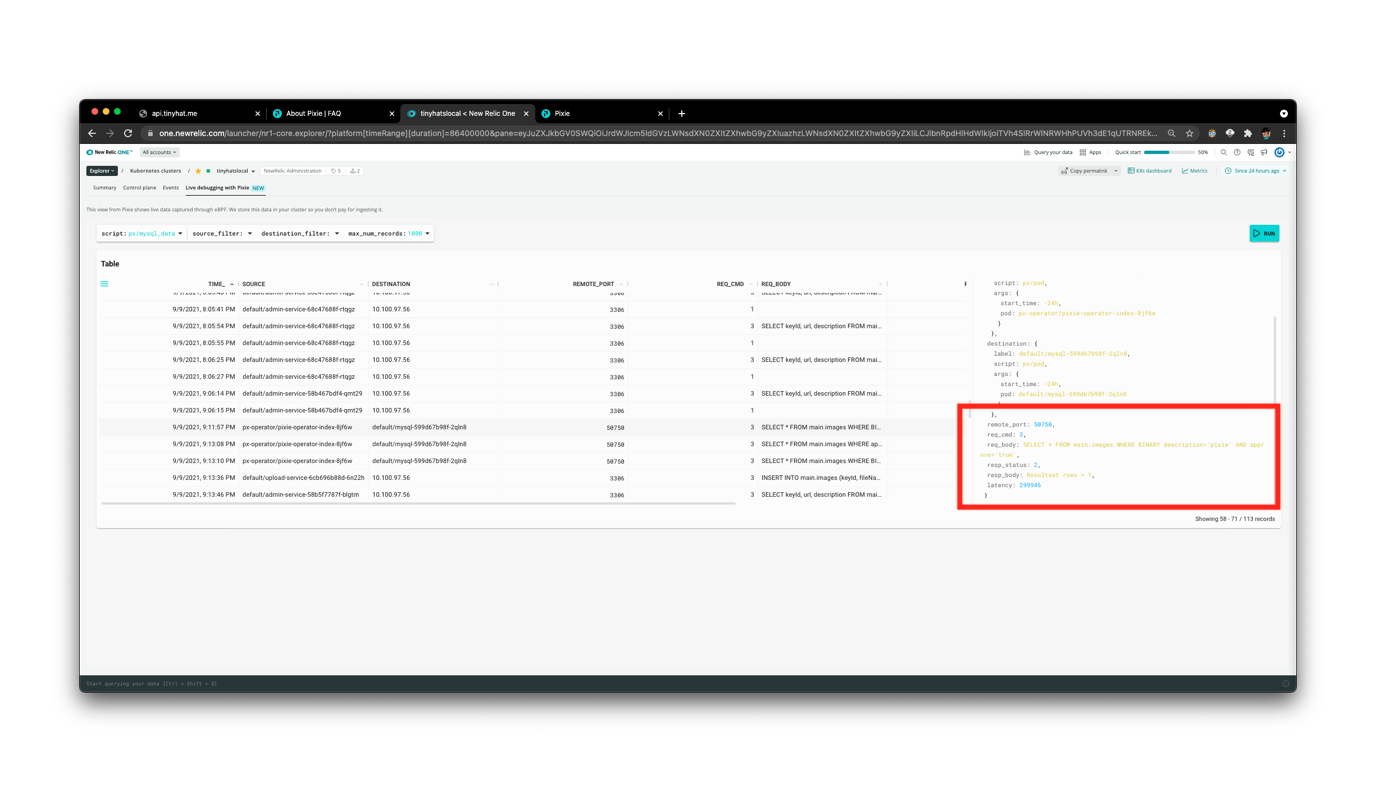
We found the culprit - fetch-service is making a case-sensitive MySQL call from the fetch function with a lowercase “pixie.”
What happened? Based on what we learned from Pixie, the code in
fetch-serviceprobably made the hat style lowercase and then attempted to query for the lowercase hat with aBINARYSQL call. Since there are no hats namedpixie, everything errored out!