Diagnosing Issues - Scenario #1
Set up Scenario #1
Run the below command in your Cloud9 Terminal.
cd ~/environment/tinyhats/1-mysql
for f in *.yaml; do envsubst < $f | kubectl apply -f -; done
What’s the problem?
Your TinyHat.me API has already taken off and users are actively requesting & uploading their own hats. Unfortunately, there appears to be a bug in the code!

We are receiving complaints from our users that unmoderated hats are showing up on the website! In order for a hat to appear on the frontend, admins of TinyHat.Me must approve them first. However, that’s not what’s happening…
Let’s see if we can use Pixie to figure out why image uploads are bypassing our moderation queue.
Replicating the Issue
First, let’s upload a hat ourselves to see the bug in action.
curl --location --request POST ${GATEWAYSERVICE}/add --form 'name="Tiny Hats are cool"' --form 'image=@"/home/ec2-user/environment/tinyhats/badhat.png"'
If successful, you should see a response similar to this:
{
    "result": {
        "key": "tmvxch9exufm1jh3",
        "fileName": "tmvxch9exufm1jh3.jpeg",
        "url": "https://tinyhats.s3.amazonaws.com/tmvxch9exufm1jh3.jpeg",
        "description": "Tiny Hats are cool",
        "approve": "false"
    }
}
Now, go back to the frontend and swipe through the gallery of hats. Make sure to reload the page. Yikes! Your unapproved picture should be there - that’s not supposed to happen.

Notice the unauthorized hat at the very end.
Debugging with Pixie
Let’s hop back over to Pixie and see if we can figure out what’s going on. Refer back to “Run a PxL script” to recall how to access the Pixie dashboard.
1. Are the admins secretly approving bad hats?
To get a high level view of what the application is doing, run the px/cluster script:
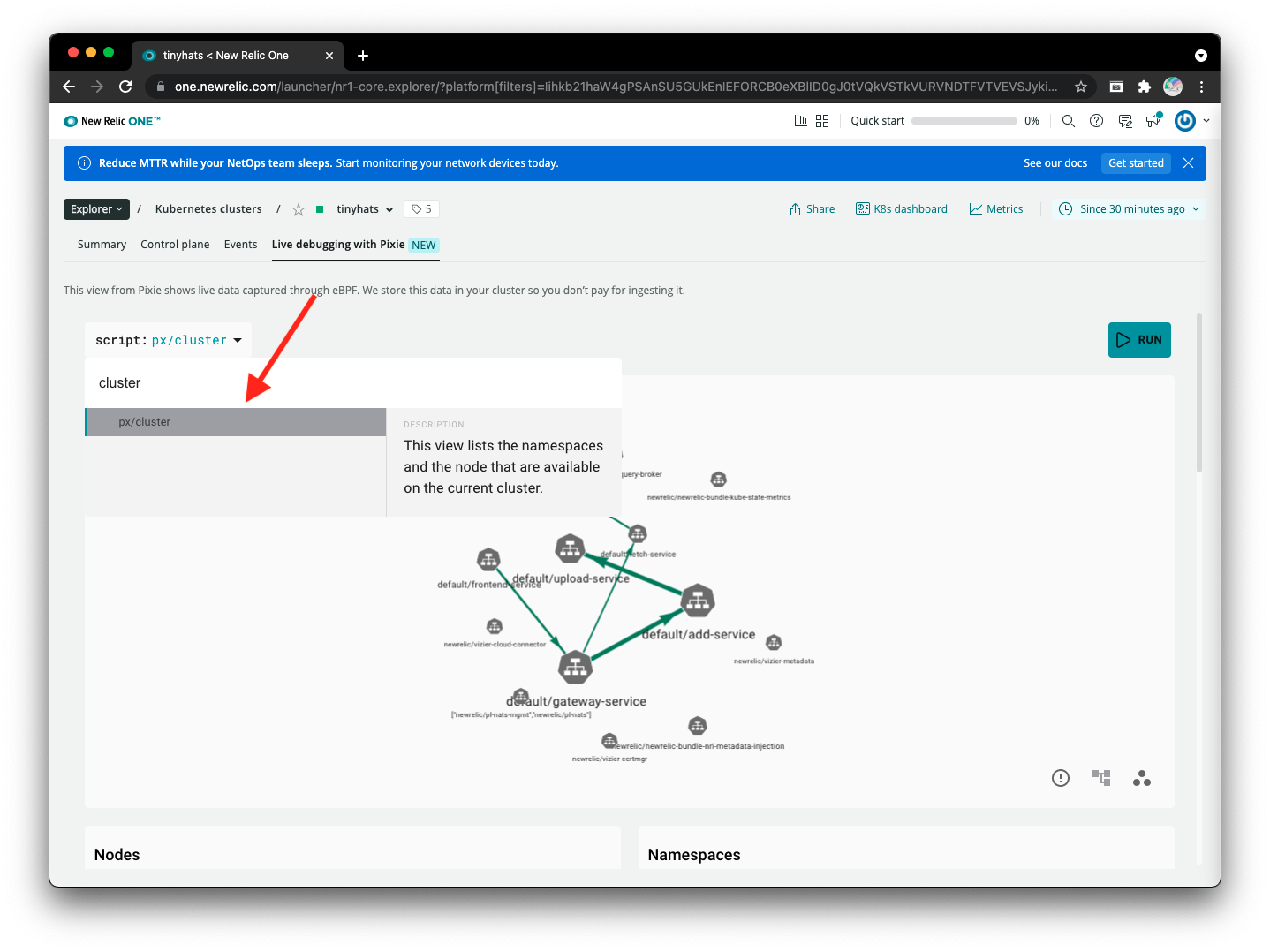
Let’s also specifically select the default namespace to narrow the pods down.
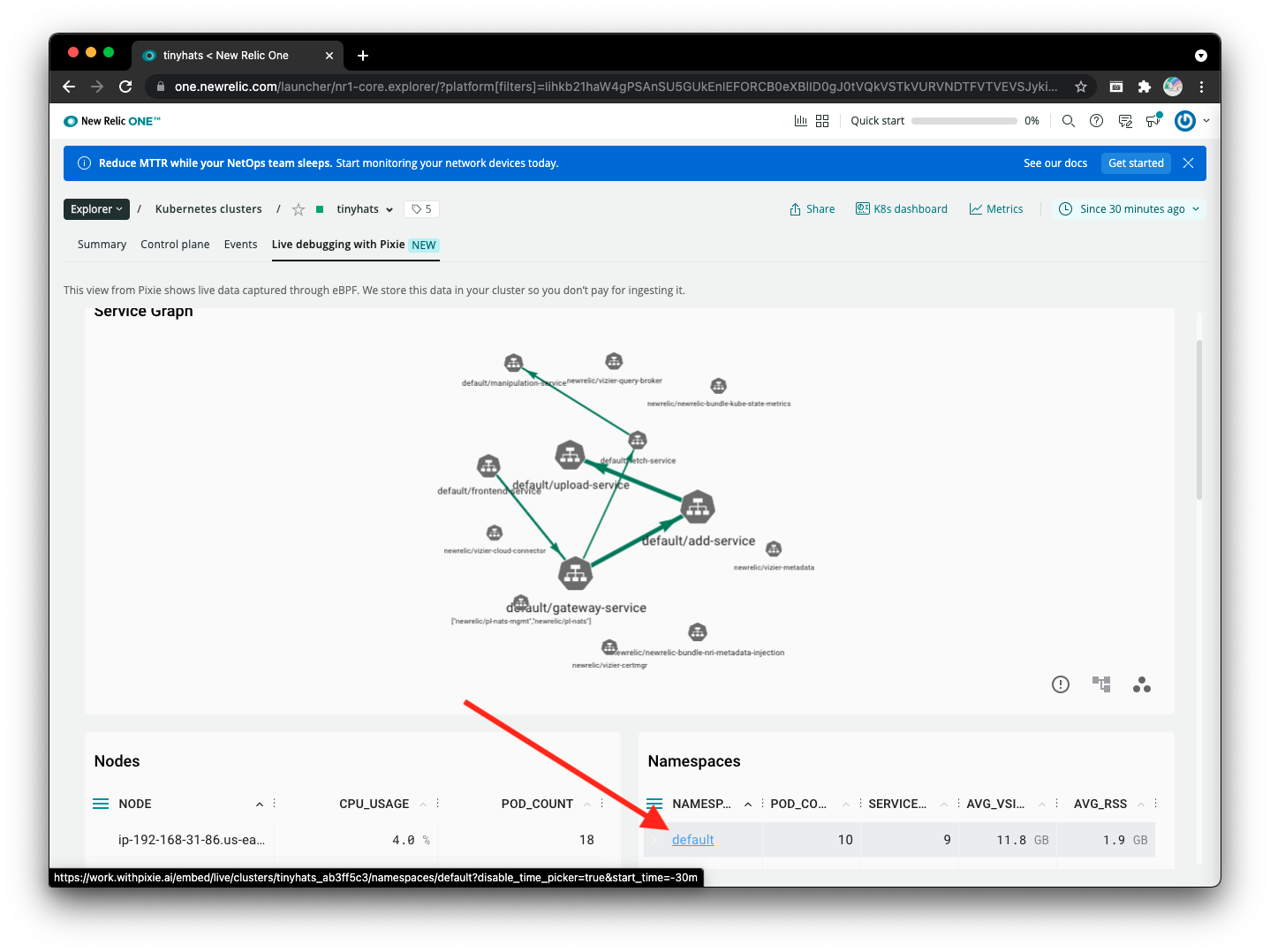
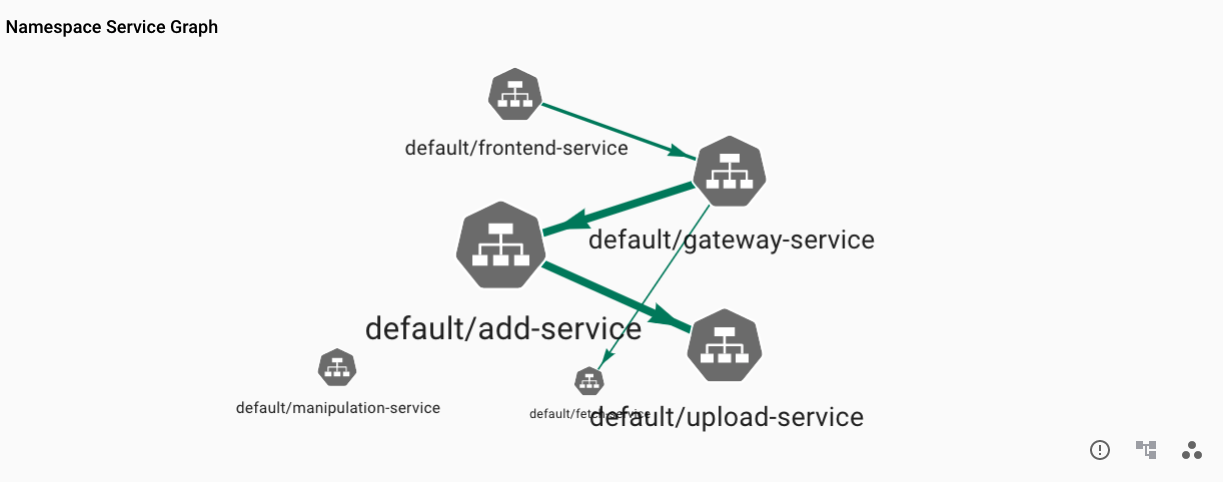
Below, notice two separate processes:
- The
gateway-serviceis callingadd-servicewhich then communicates withupload-serviceto suggest a hat. - The
gateway-serviceis calling thefetch-serviceto retrieve the hats to display on the website.
No moderation is occurring! The hats added in process 1 are automatically shown to the public in process 2.
We have now identified that nothing is being moderated (so the admins aren’t lying), but we will need to dig a bit further to find the true problem…
2. How are the services communicating?
Since we know that the admins didn’t approve the inappropriate hats, we can continue to narrow down the issue in Pixie by viewing the HTTP requests from pod to pod. The question now is: Are all of our services correctly communicating with one another? Here are the suspect microservices - the ones that modify and send the hat data:
add-servicefetch-service
For context, there is an attribute for each submitted hat:
approve. Ifapproveis true, the hat is authorized to appear on the page, whereas if it is false, it should not be on the website.
Run the px/http_data_filtered script:
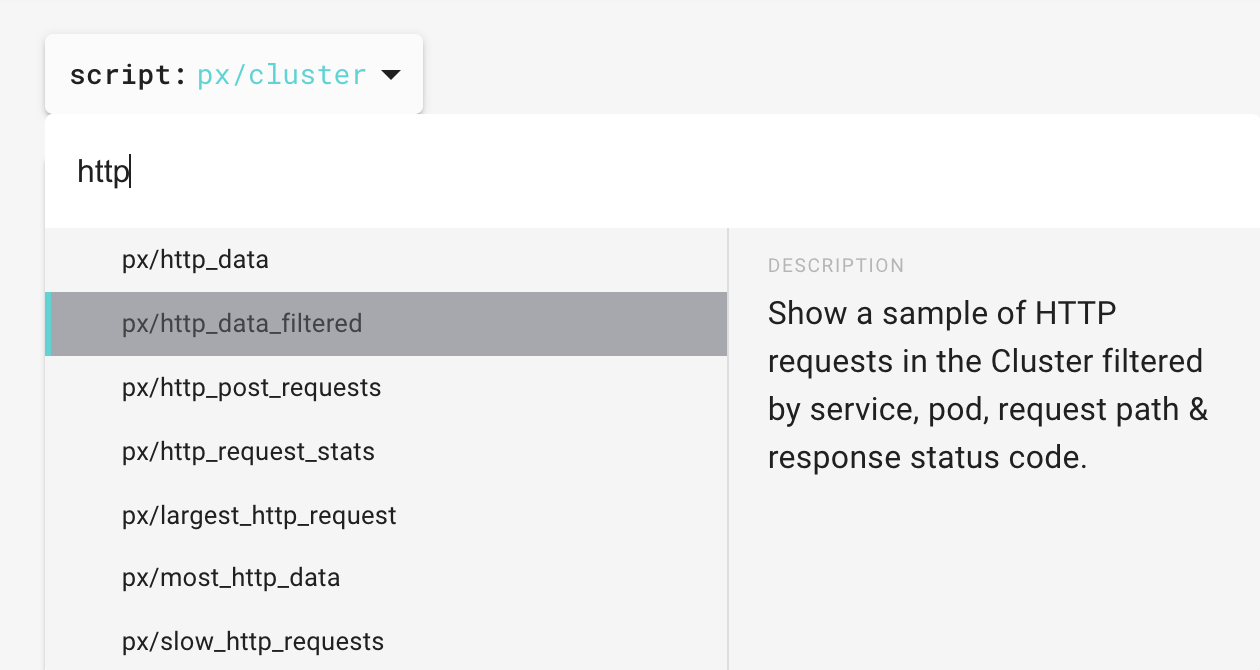
Then, select the add-service pod:

You should see output similar to the image below:

As we can see by the RESP_STATUS of 200, this service appears to be functioning properly. Let’s see what data is being sent back from this service by clicking on the most recent request:
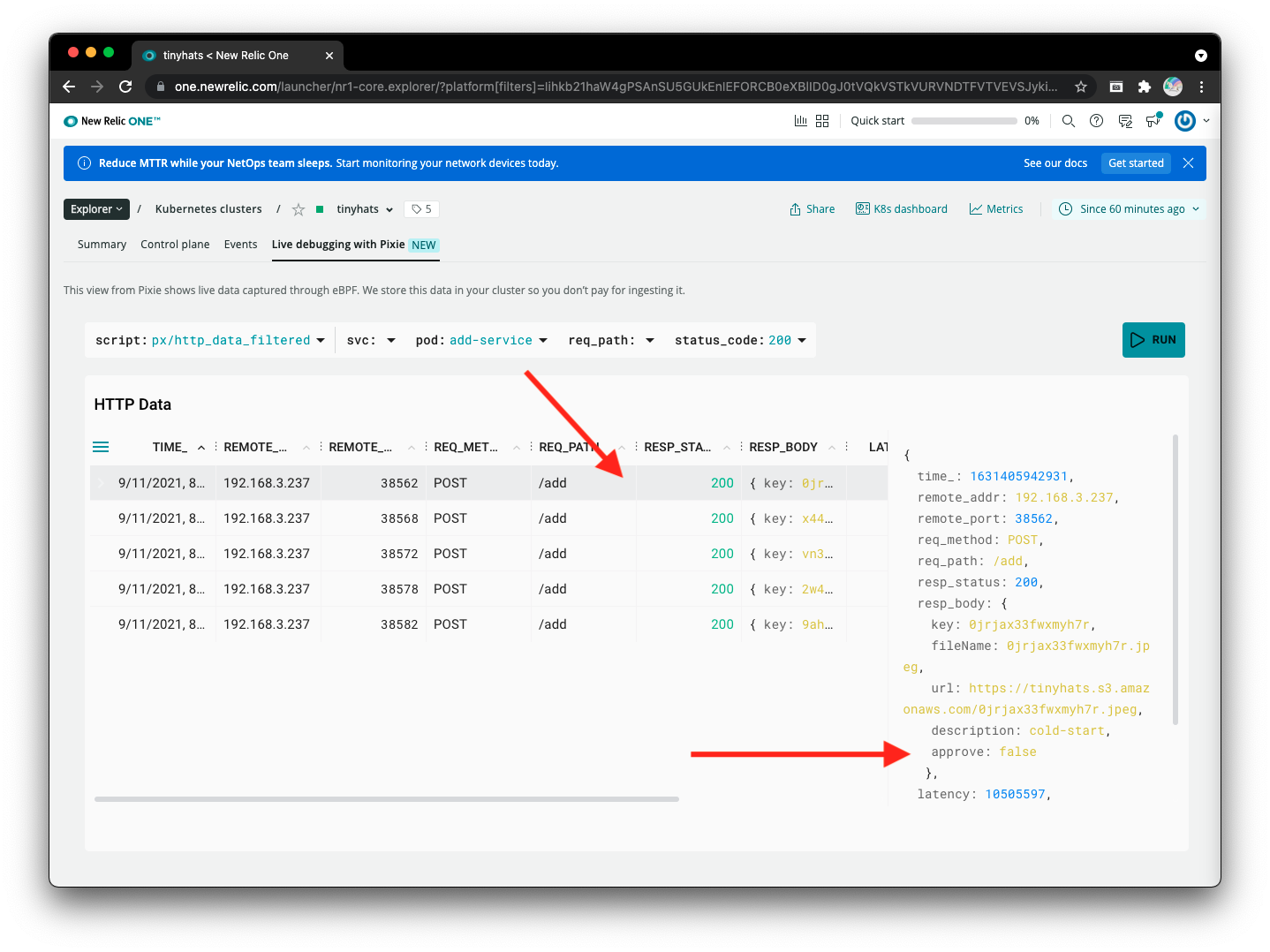 As clearly shown in Pixie, the
 add-service is correctly identifying the hat as unapproved: setting the approve attribute as “false.” We can now rule out this service.
By the process of elimination, fetch-service now seems to be the troubler-maker in this situation. Let’s take a look at the HTTP requests going through this service, using the same process we went through for add-service.
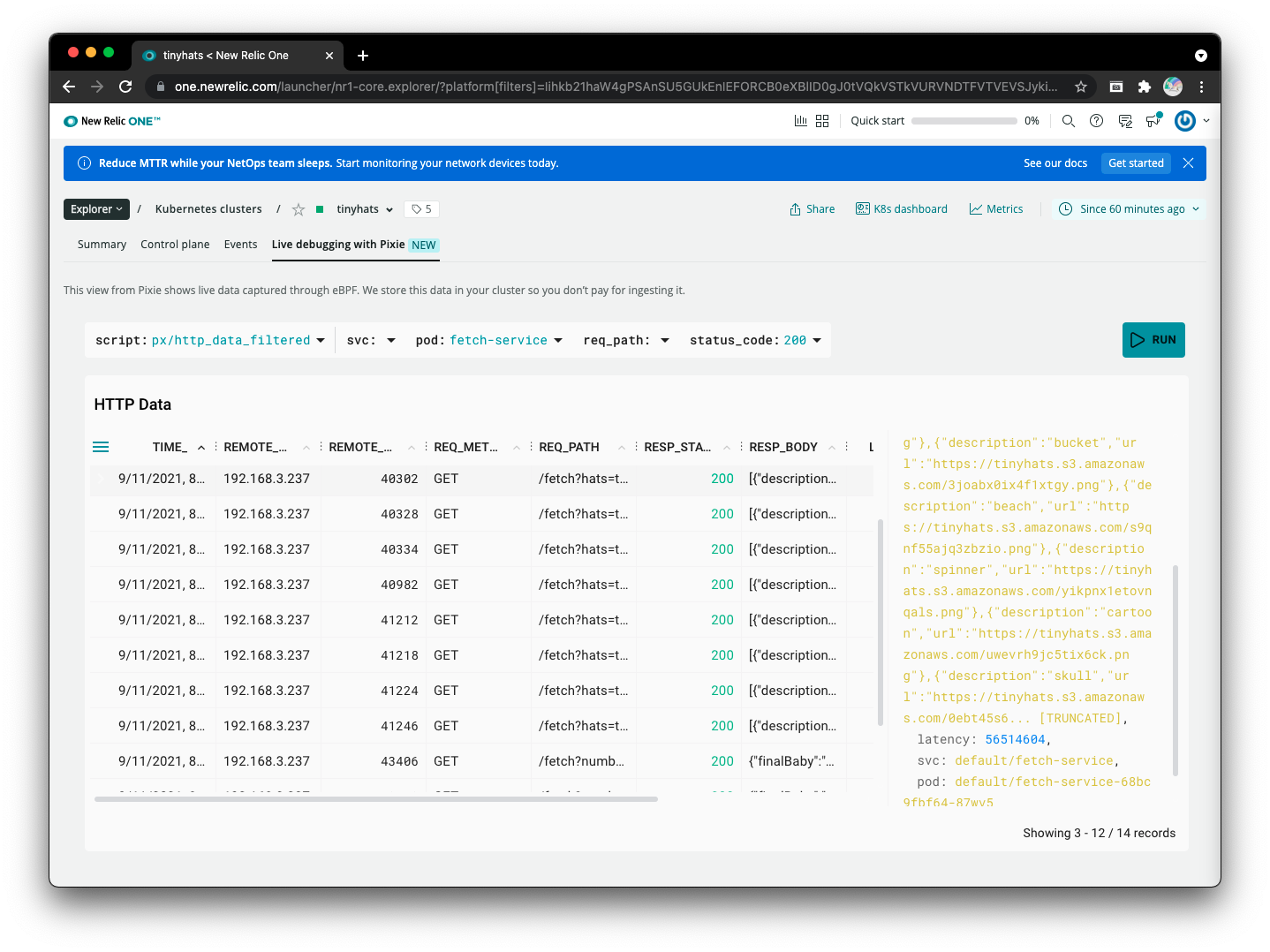
Once again based on RESP_STATUS, fetch-service does not seem to be erroring out. Looking at the body of the response that is filled with hats for the frontend to display, it is truncated. However, we now have enough clues to prove that this bug is an issue related to data retrieval and not data storage.
- Using the
px/http_data_filteredscript foradd-service, we determined that the hat is correctly being stored as unauthorized. - Like
px/clustershowed,fetch-serviceis the only service retrieving hats and providing the frontend with the “approved” hats to make available to users.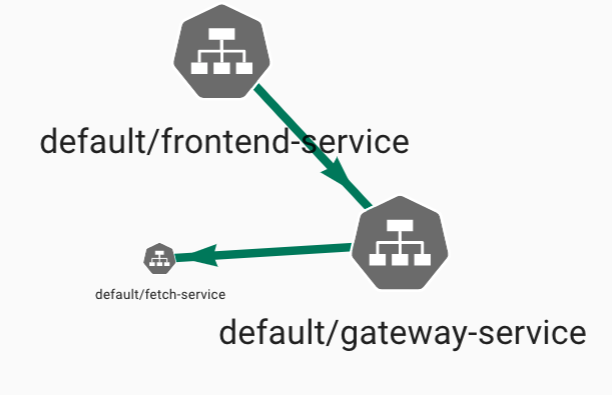
3. What is the issue with retrieving hats?
Now that we know it’s an issue with retrieving data, let’s take a look at the SQL queries this cluster runs by executing px/mysql_data and clicking on the SQL query of first result we receive, which happens to be from fetch-service:

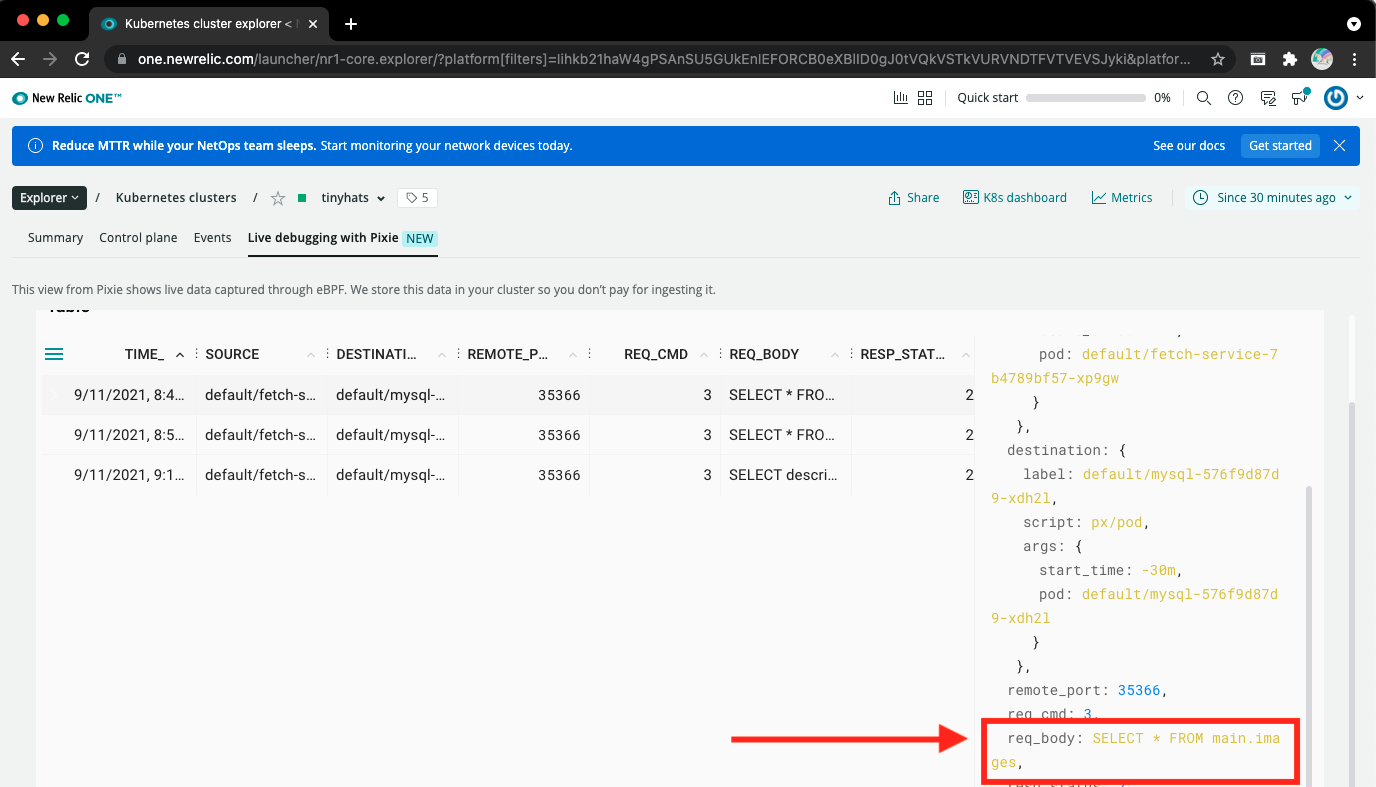
Having clicked on the SQL query, we can now see the complete JSON response of this particular transaction, which includes the full SQL query similar to this.

If the particular query isn’t showing up, try changing the time window to get older queries.
We have found our culprit!
The SQL query here is selecting ALL images from the database without specifying a WHERE clause to determine whether or not the image was actually ever approved. You could have also noticed that the number of resulting rows from the query was way too big! The correct query should have been:
SELECT * FROM main.images WHERE approve="true"